
Integral-LIS - MTO AIMS
LIS
Test Data
Tasks
Utilities
Administration
Common Components
LIS
Test Data
Tasks
Utilities
Administration
Common Components
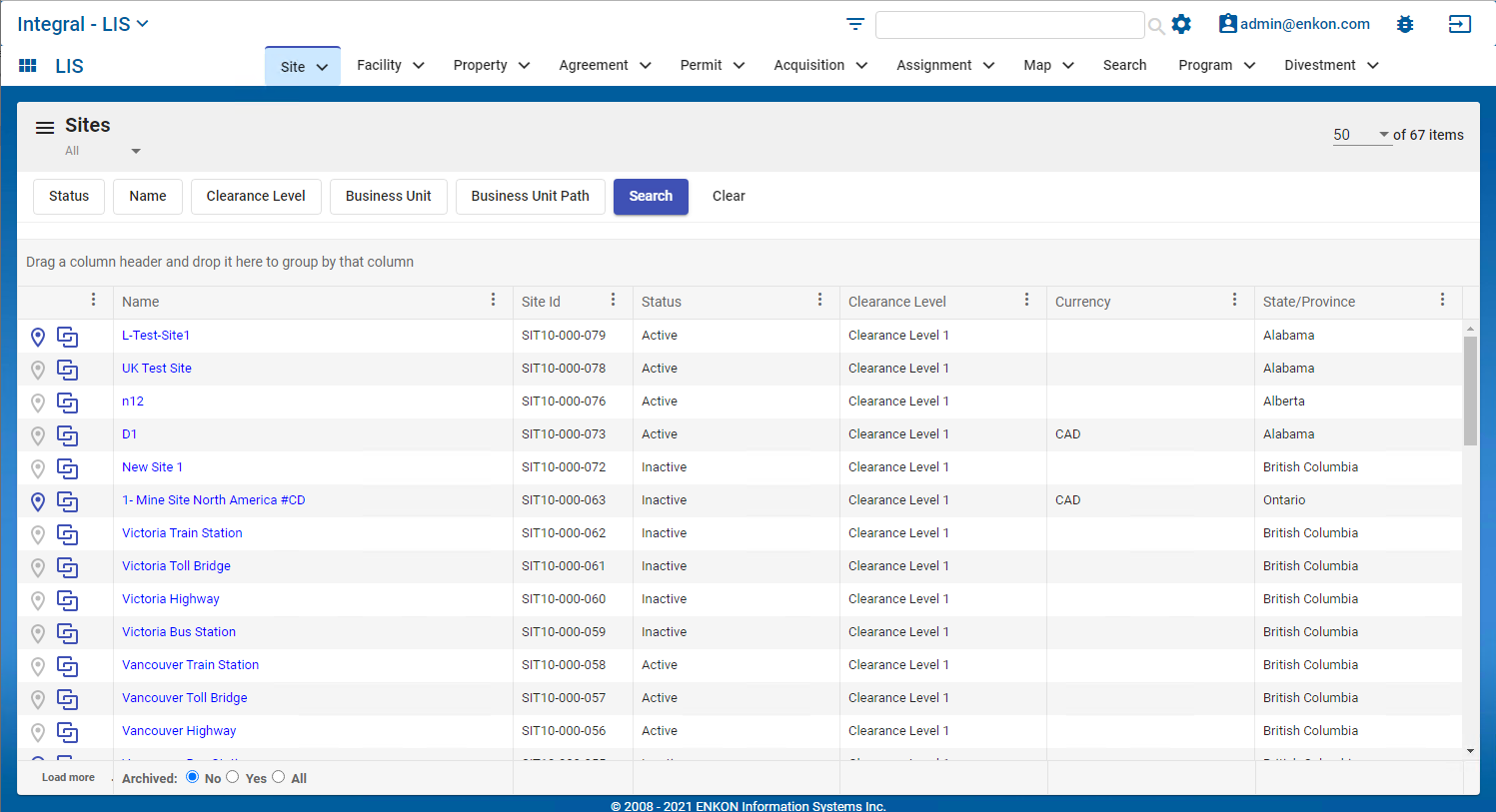
The Sites module includes the operation locations and business units they are part of. All properties, facilities, permits, and agreements can be linked to a site. A site includes geo coordinates and can be seen in the built-in Map viewer.
Example of the List View
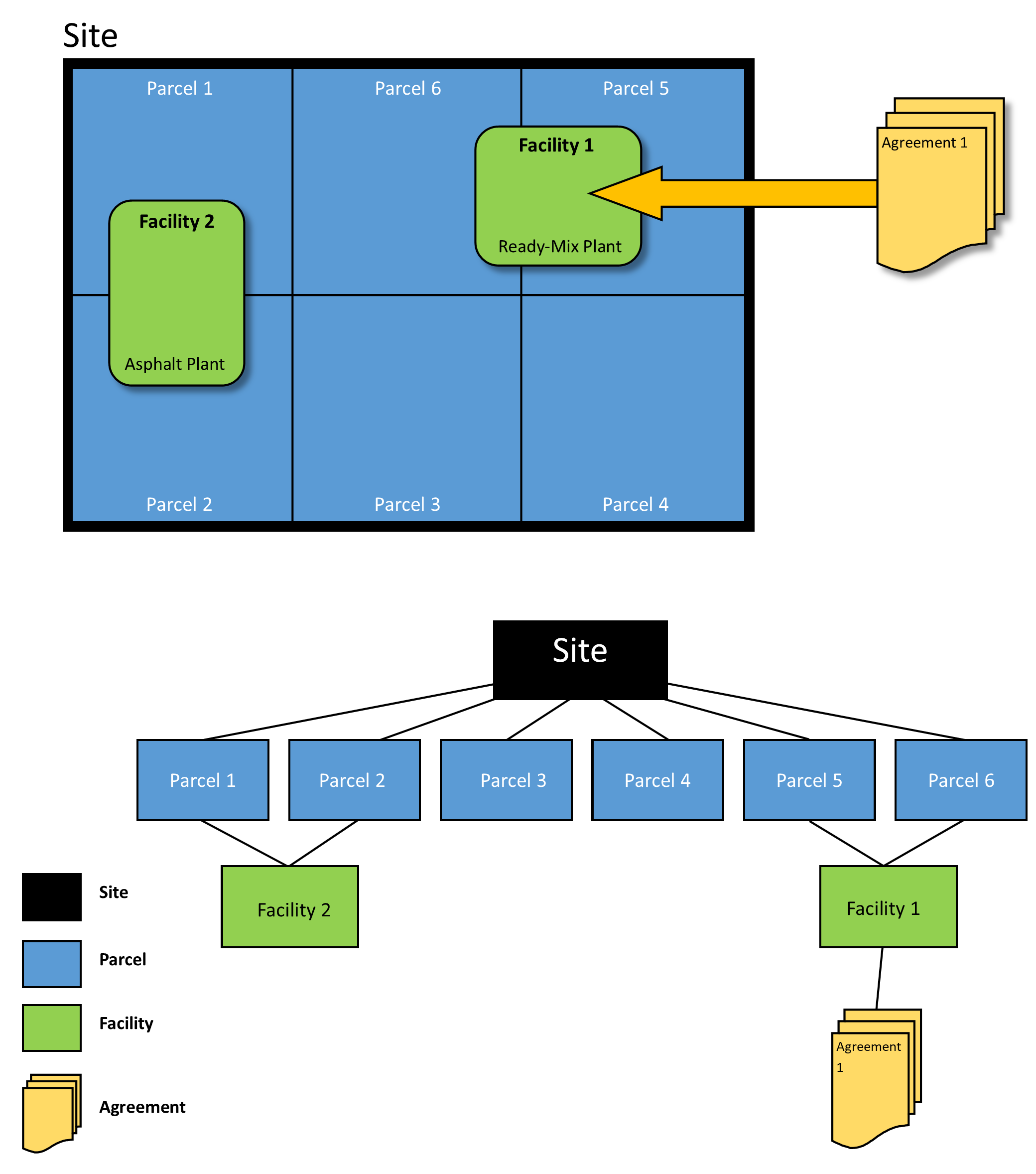
Sites can be considered the top level in a hierarchy structure. It can be helpful to think in terms of operations. Within each site container, there can be multiple other entities associated. For instance, a site could contain many properties or parcels, and associated with those parcels could be multiple facilities. And, those entities could have one or more agreements associated.
For details on how to navigate the list view homepage, refer to List View Functionality
 at the bottom right of the screen.


