Users>Permission Group Tab
Add a Permission Group
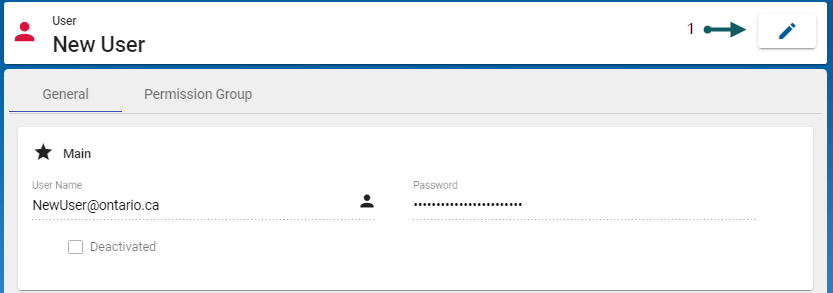
- With the User form open and in the Permission Group tab, select Edit (1):
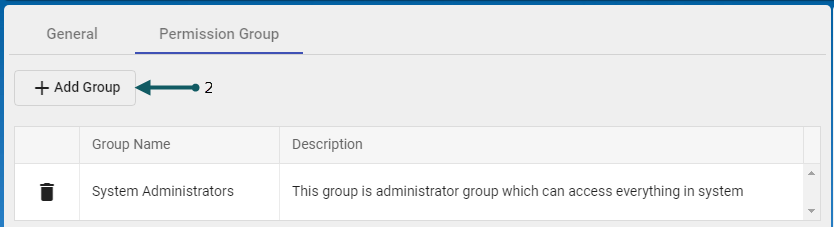
- Select Add Group (2).
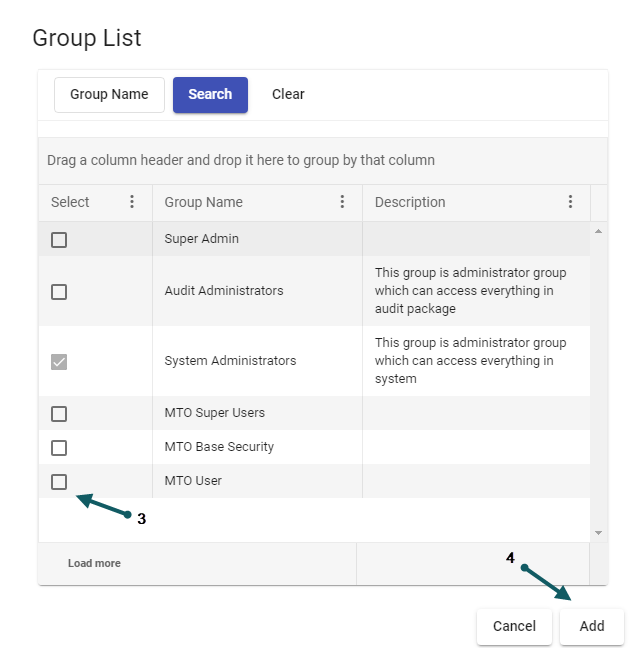
- Add the required permission group by selecting the corresponding Group Name (3) and then Add (4) to save and exit.


For details on the administration of Users, refer to Users and Permissions
For details on Task Reassignments, refer to Task Reassignment