Table of Contents
Search
The purpose of the Search is to apply filters, either globally across all the modules or on a module by module basis.
Click the Search Module to show the filter panel

Create a Global Filter
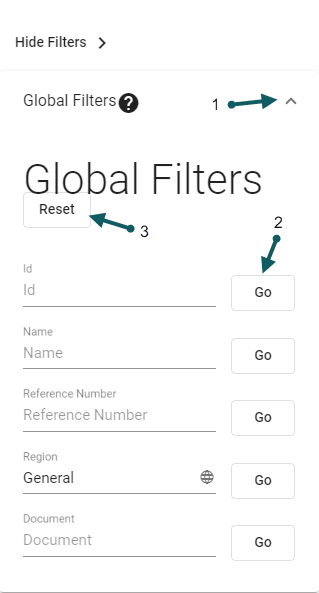
- Click the Global Filter chevron (1) to open the global filter criteria panel. Enter the desired search criteria and click Go (2) corresponding to the search field. To reset the search criteria, click the Reset button (3)

Create a Module Filter
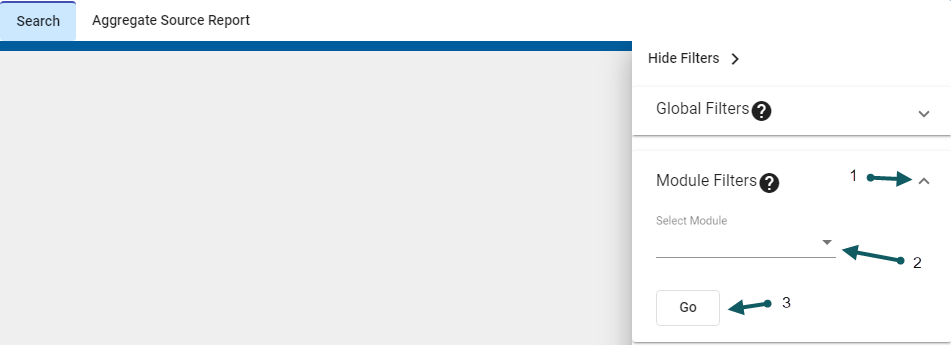
- Click Module Filter chevron (1) to open the module filter criteria panel. Click module dropdown (2) and select Go (3) to apply the filter
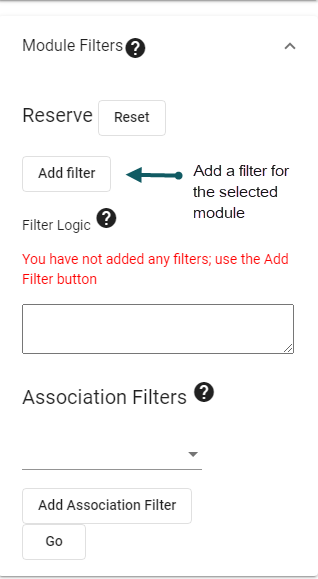
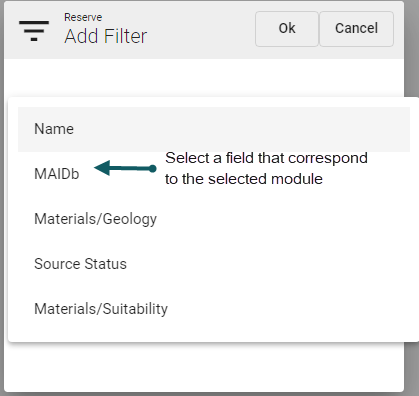
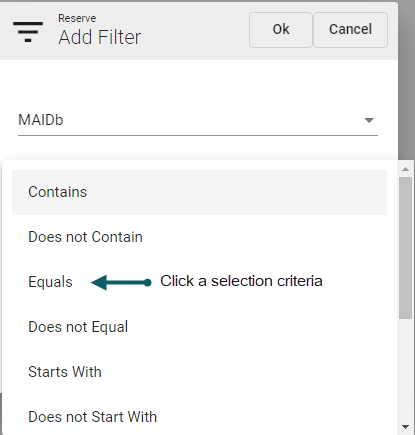
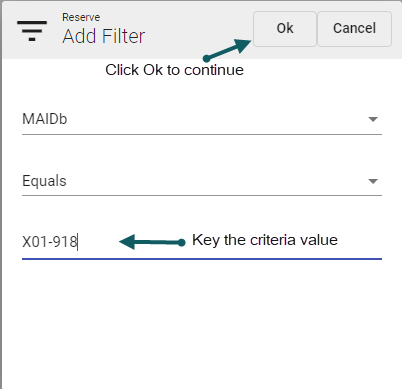
- Add filter criteria
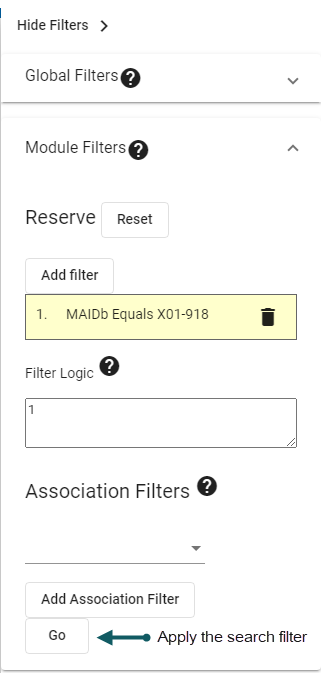
- Apply the filter
- Export the search results



