Table of Contents
Sample Projects>Sampling Station Tab
Add a Sampling Station
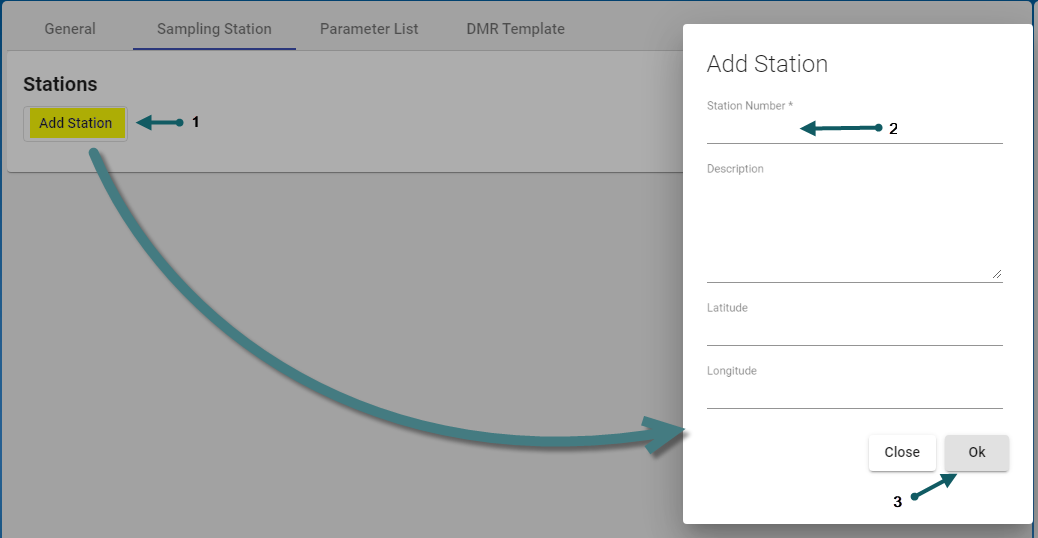
- With the Add Sample Project form open and in the Sampling Station Tab > Stations section:
click: Add Station (1), Enter the Station Number (2) - mandatory field, then enter meaningful values for the optional, free-format text fields (Description, Latitude, Longitude) as required. Click Ok to save the new station data (3)

Edit a Sampling Station
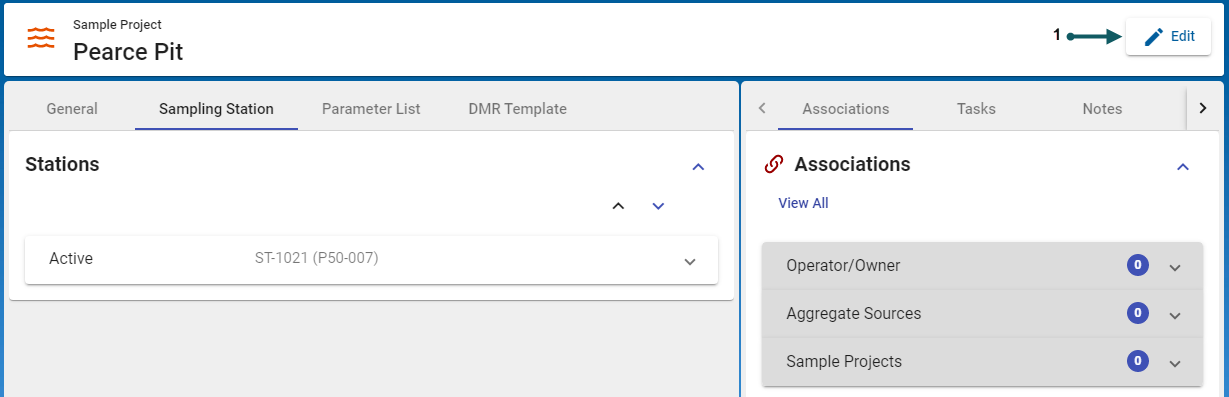
- With the Sample Project form open and in the Sampling Station Tab > Stations section:
click: Edit (1)
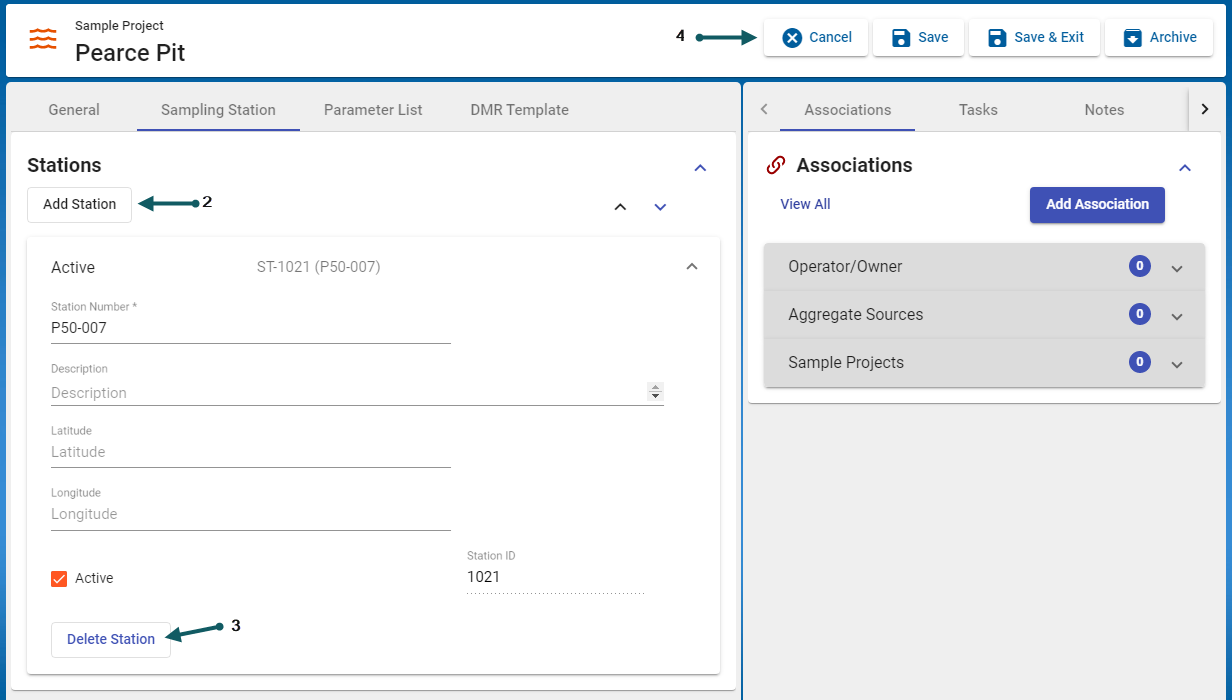
- A station can be added (2) or deleted (3), once finished the changes can be cancelled, saved or the record can be archived (4)
- A sampling station is a required entry for proceeding to the Parameter List Tab.

