Sample Projects>Parameter List Tab
Add Parameter
- With the Add Parameter List form open, click the down arrow and select a Station (1).
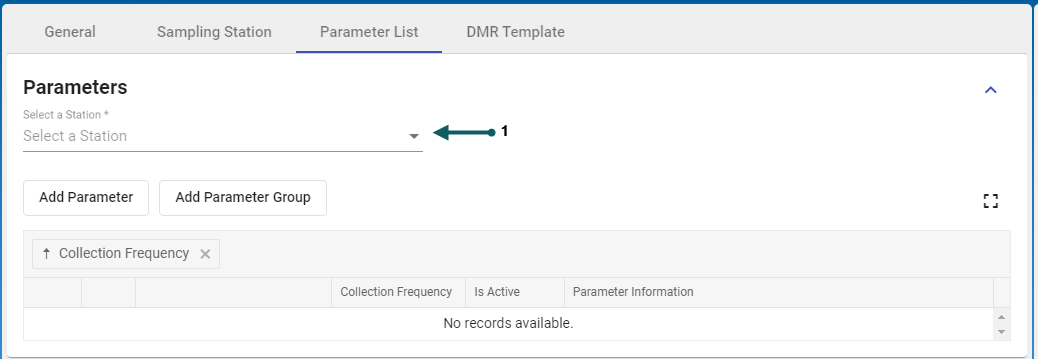
- If no sample stations are listed then return to the previous tab to add a sample station : Sampling Station Tab.
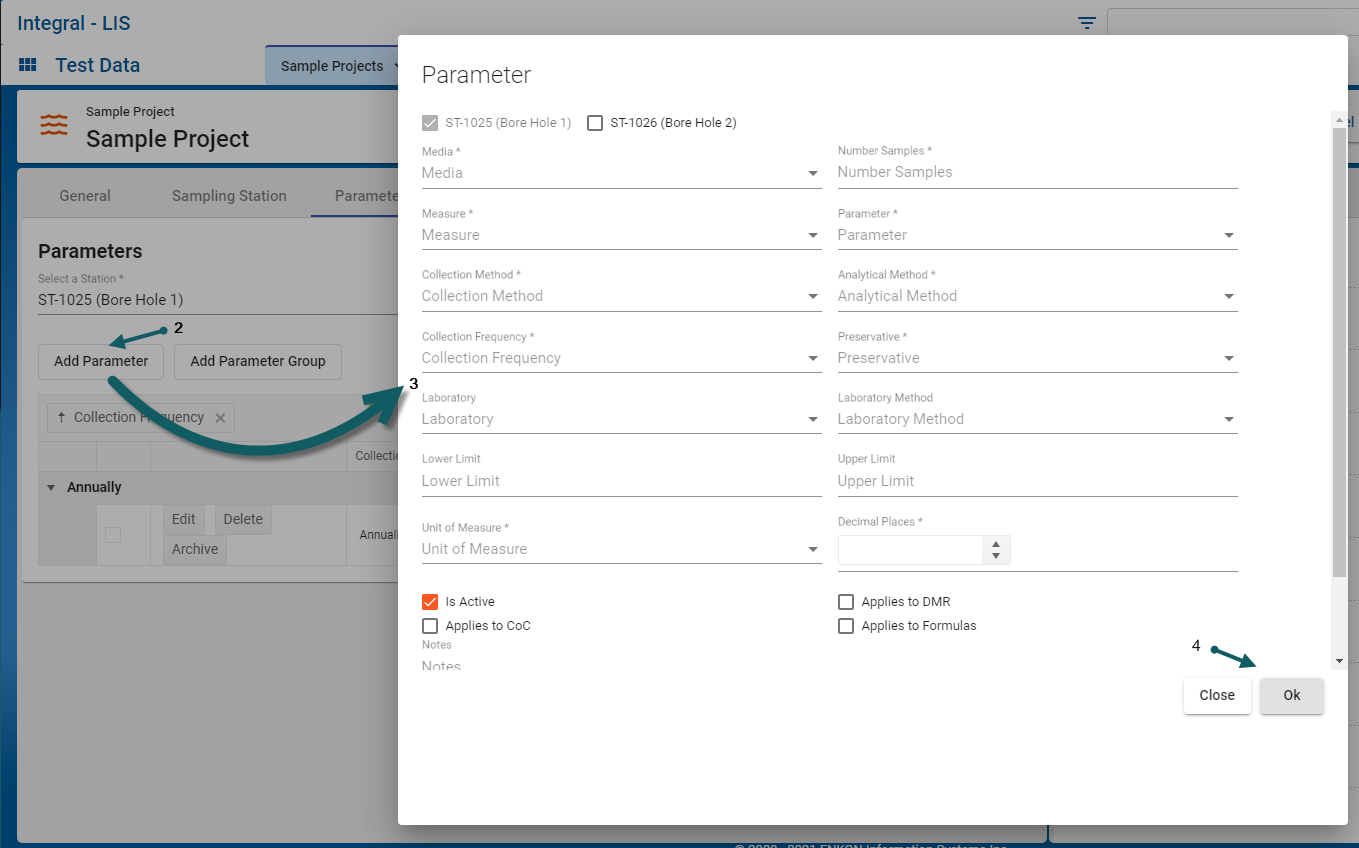
- Click the Add Parameter button (2)
- In the Parameters dialog, select the down arrow for each of the fields (3) - mandatory fields are marked with an asterix. Note: certain fields have dependencies on preceding mandatory fields. For example, Collection Method is dependent on Parameter. If there are no Collections Methods corresponding to the selected Parameter then the drop down for Collection Method will not be populated. The same is true for the Analytical Method which is dependent on Collections Method.
- Enter meaningful values for the optional, free-format text fields (Lower Limit, Upper Limit) as required
- Click Ok to save the Parameter data (4)


Add Parameter Group
- With the Add Parameter List form open, click the down arrow and select a Station (1).
- If no sample stations are listed then return to the previous tab to add a sample station : Sampling Station Tab.
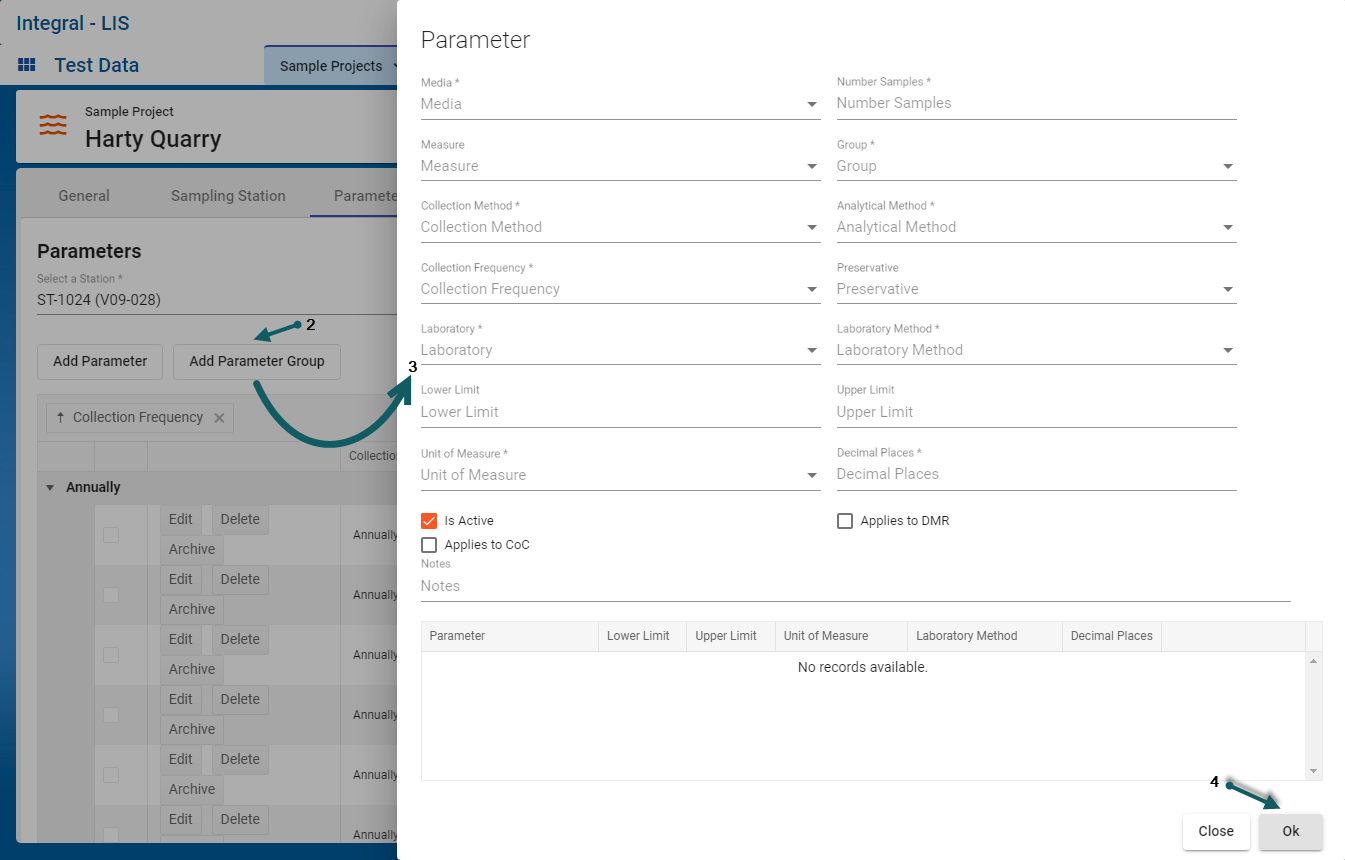
- Click the Add Parameter Group button (2)
- In the Parameters dialog, select the down arrow for each of the fields (3) - mandatory fields are marked with an asterix. Note: certain fields have dependencies on preceding mandatory fields. For example, Collection Method is dependent on Parameter. If there are no Collections Methods corresponding to the selected Parameter then the drop down for Collection Method will not be populated. The same is true for the Analytical Method which is dependent on Collections Method.
- Enter meaningful values for the optional, free-format text fields (Lower Limit, Upper Limit) as required
- Click Ok to save the Parameter data (4)

Show Parameter Details
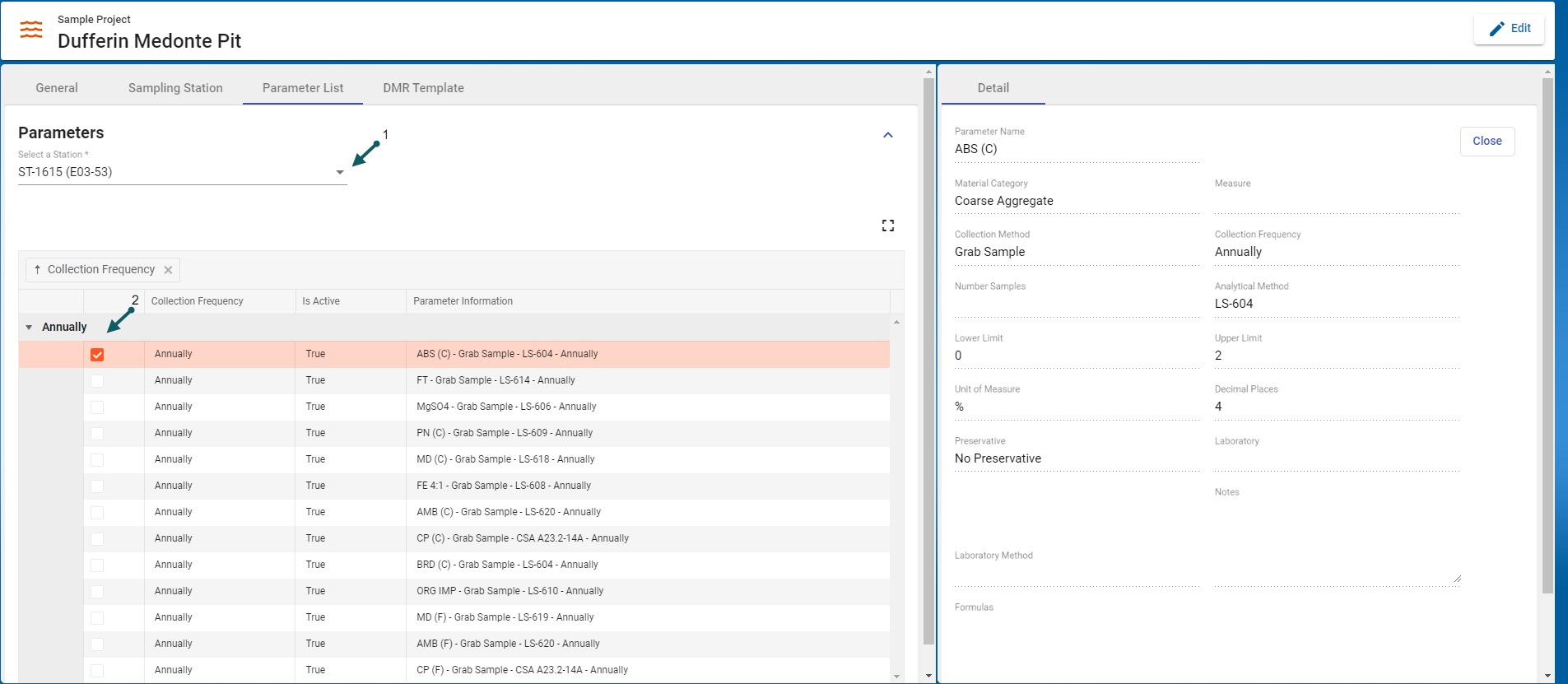
- With the Parameter List form open, select the Station using the drop-down (1), click the parameter of interest (2). The parameter details are shown on the right side.