Permits>General Tab
Create a New Permit
- With the Add Permit Source form open and in the General Tab > Details section, enter relevant details.
- Note: Red-highlighted sections are mandatory.
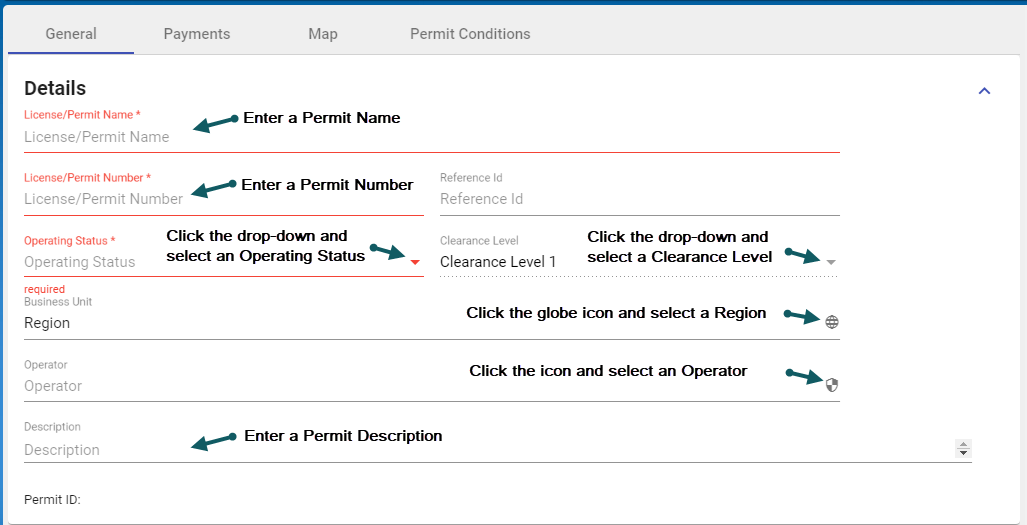 - Enter a Permit Name, Permit Number, Reference Id
- Select from the dropdown and select an Operating Status
- Select from the dropdown and select a Clearance level 1
- Click the icon and select a Region
- Click the icon and select an Operator
- Enter a Permit Description

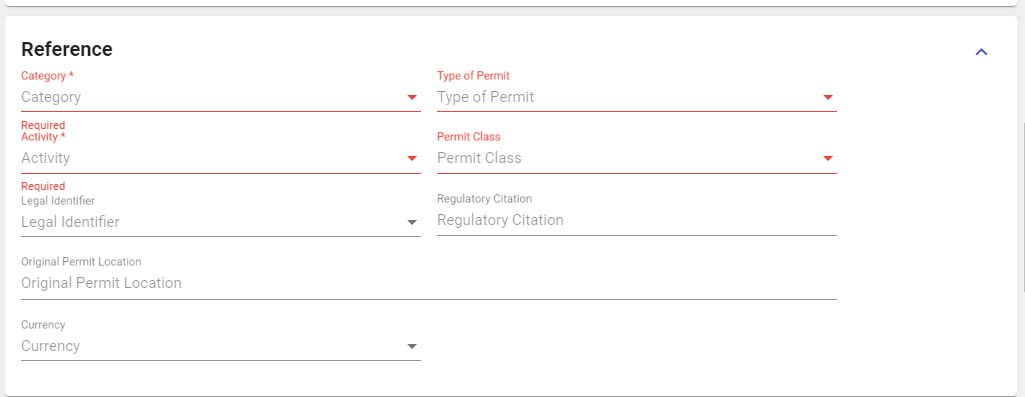
- In the General Tab > Reference section, enter any relevant details.
Note: Red-highlighted sections are mandatory.
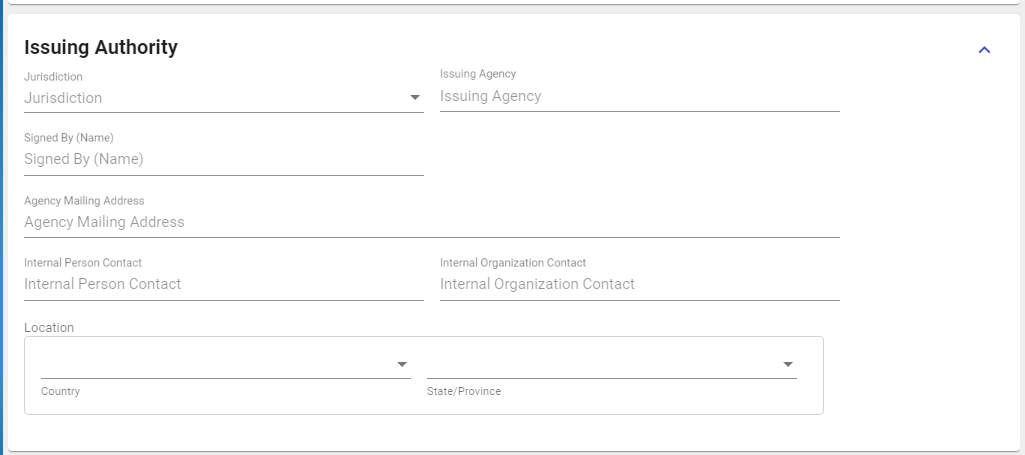
- In the General Tab > Issuing Authority section, enter any details.
- In the General Tab > Issued To section, enter any details.

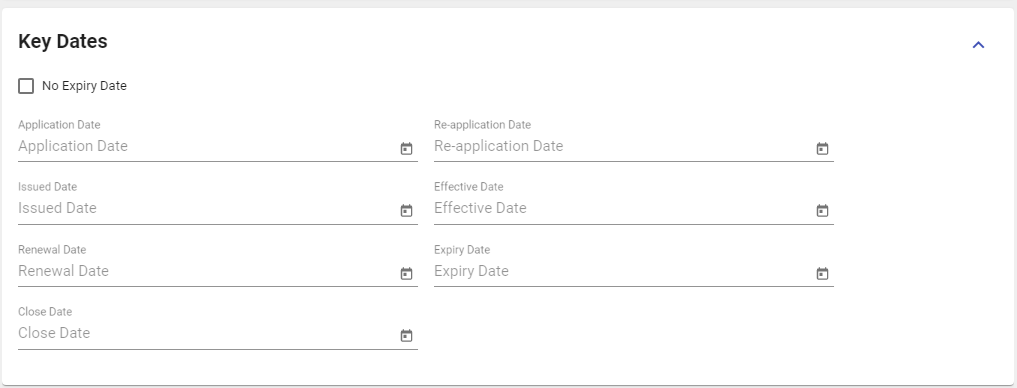
- In the General Tab > Key Dates section, enter any details.
- In the General Tab > Material section, add a material by clicking the Add Material button.


