Table of Contents
Select an Existing Operator/Owner
Select the mode (1), either Person or Organization, then select (2) the corresponding grid entry.

Add a new Person Contact
A new Operator/Owner can also be added using this form. Select the mode (1) Person, then select (2) Add Person button.

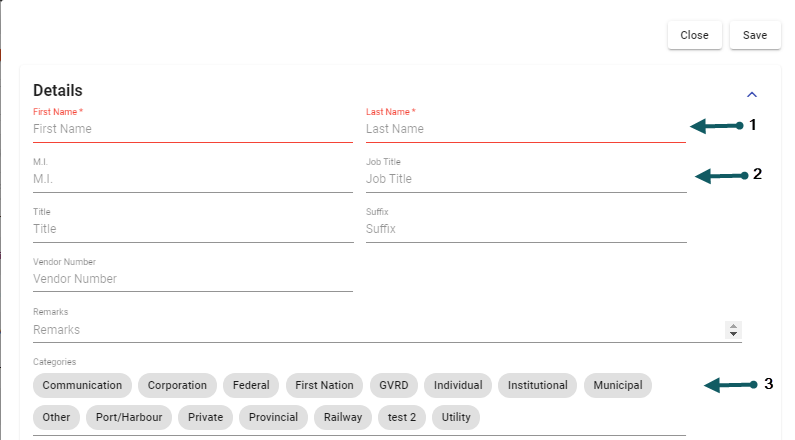
- Enter the Personal details, including the mandatory fields (1) first and last name, the optional fields (2) and selected categories (3)
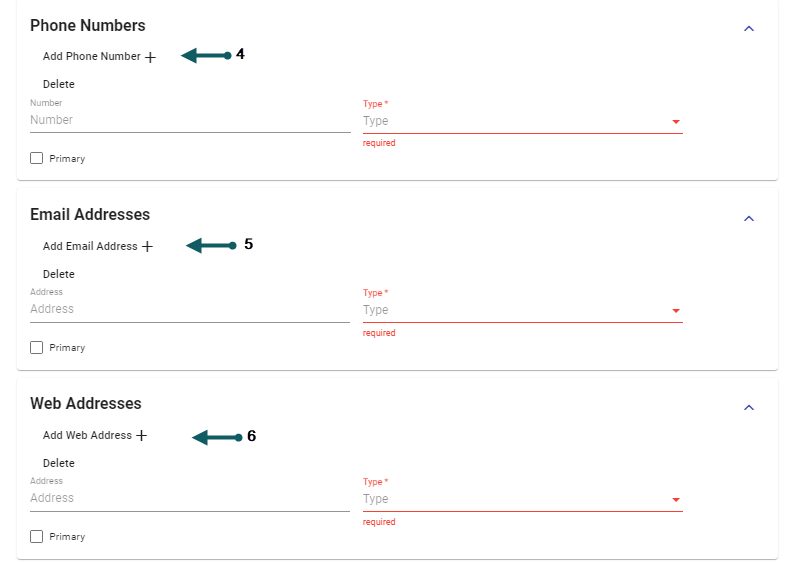
- Enter the Phone Numbers (4), email addresses (5) and web addresses (6)
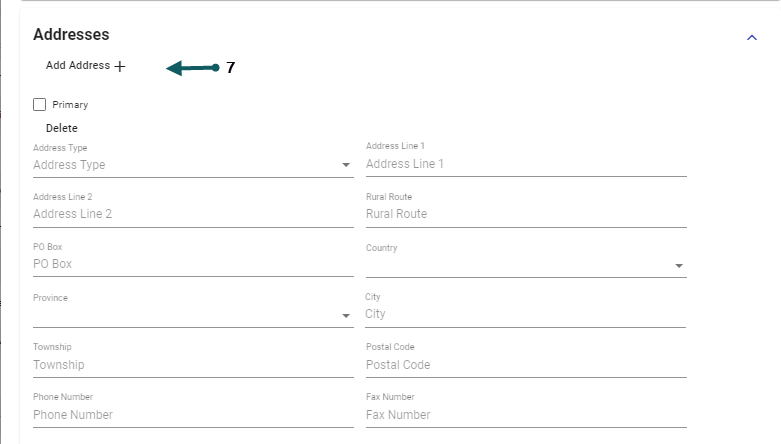
- Enter the Mailing Address (7) details


Add a new Organization Contact
A new Operator/Owner can also be added using this form. Select the mode (1) Organization, then select (2) Add Organization button.

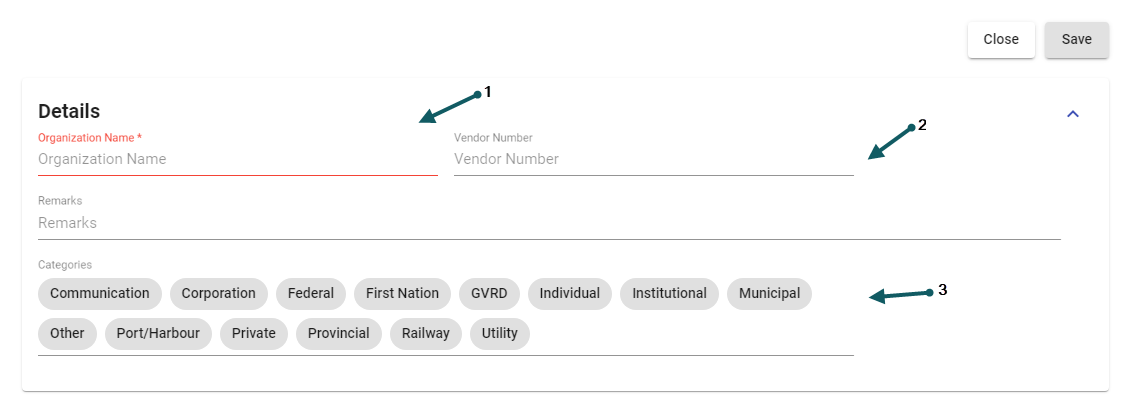
- Enter the details, including the mandatory field (1) organization name, the optional fields (2) and selected categories (3)
- Enter the Phone Numbers (4), email addresses (5) and web addresses (6)
- Enter the mailing address details (7)
