Notes
Each Module provides certain common functionality that is also available in other Modules. One such common feature is the ability to create and maintain Notes.
Example creating a Note
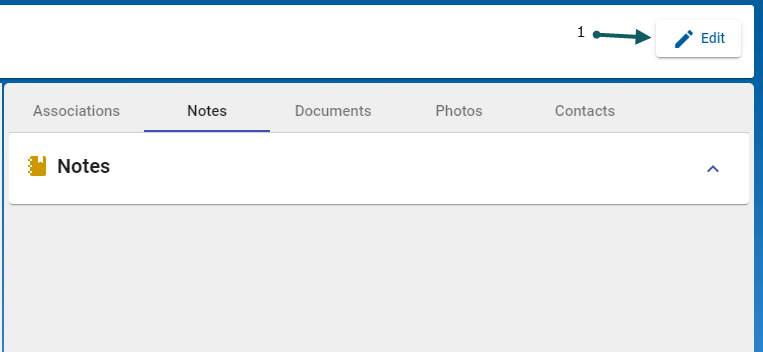
- In order to create a Note, click the Edit (1) button
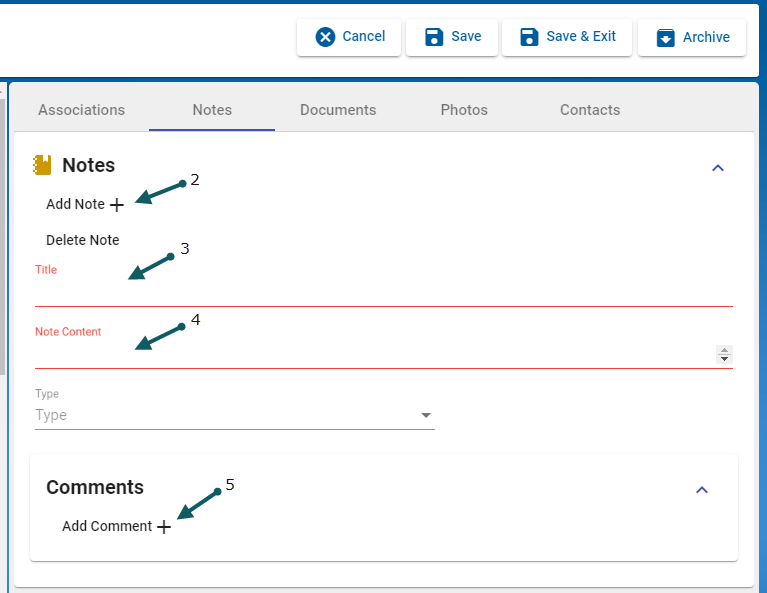
- then click Add Note (2), enter a Note Title (3) and enter the Note Content (4) and optional Comments (5).
Note: Red-highlighted sections are mandatory.
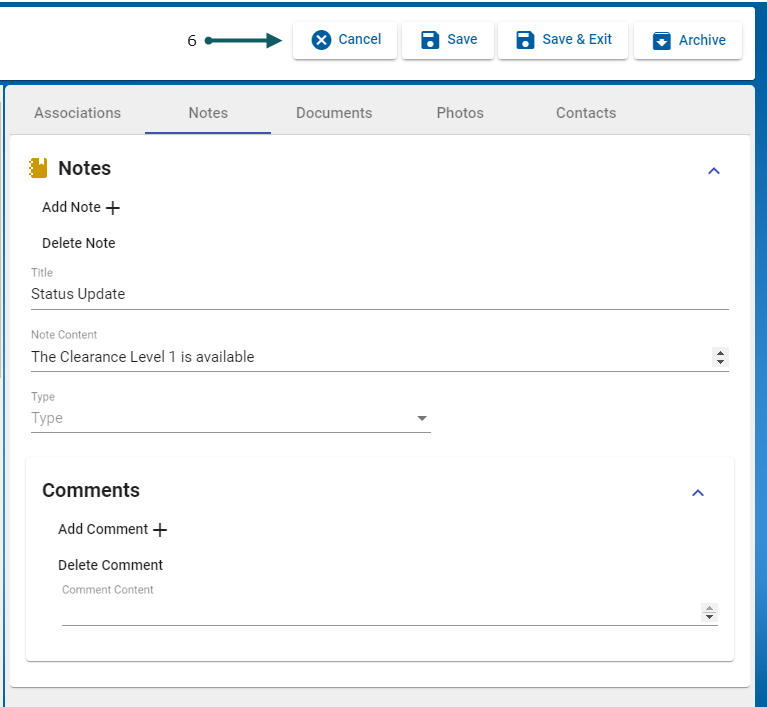
- Finally, click (6) Cancel, Save, Save & Exit or Archive
- Go to Documents.


