Table of Contents
Map Admin>Map Tab
Add New Config
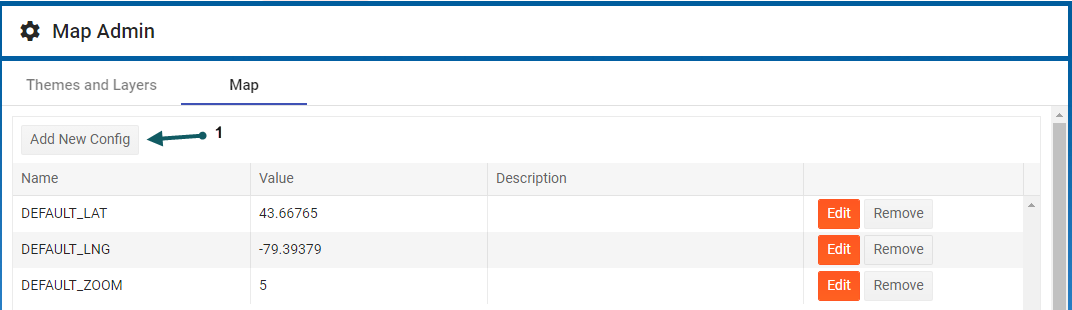
- With the Map Admin form open and in the Map Tab, click Add New Config (1).
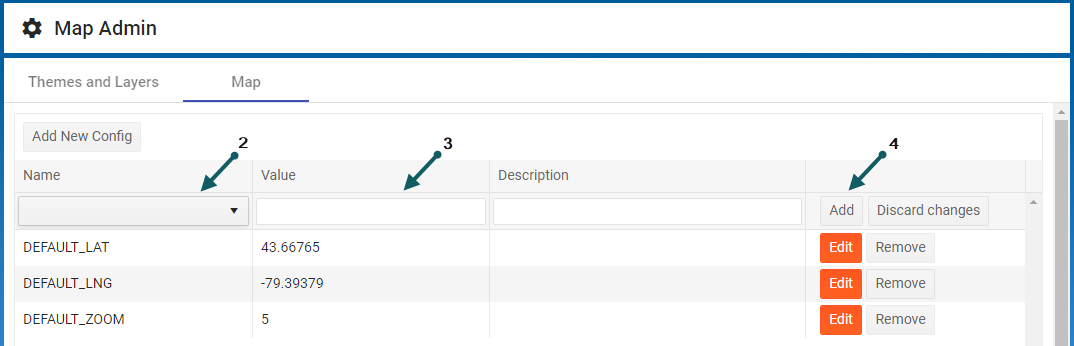
- Enter the name of the new Config (2), a value and description (3), and then Add (4) to save the new Config


Edit a Config
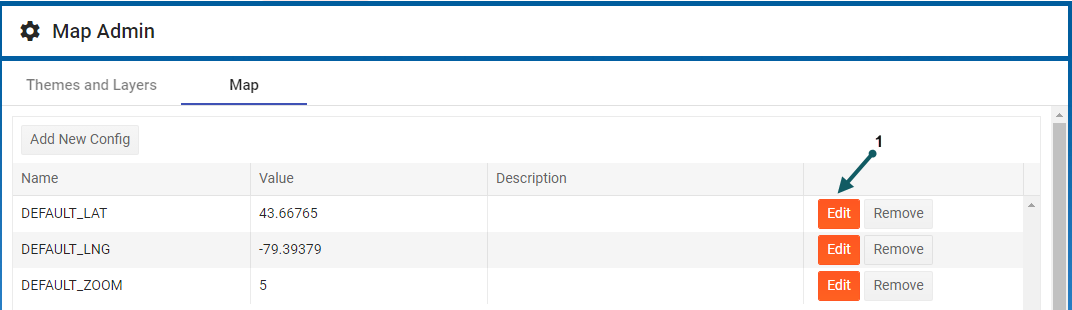
- With the Map Admin form open and in the Map Tab, click Edit (1) corresponding to the Config parameter of interest
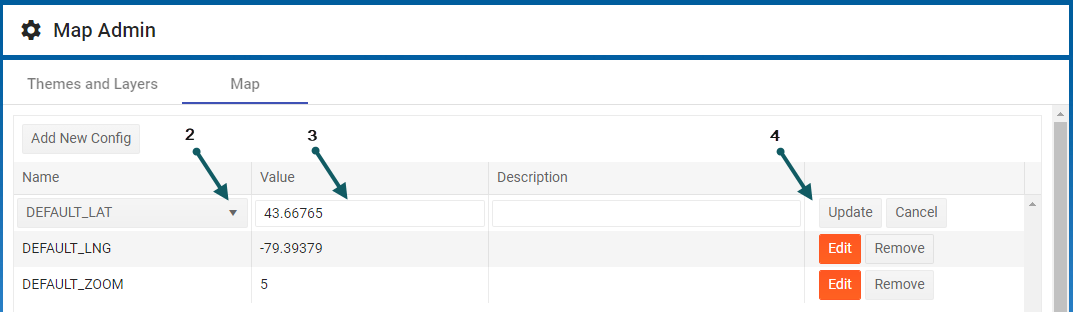
- Click the drop-down (2) to select a different Config item, a value and description (3), and then Update (4)