Associations
Each Module provides certain common functionality that is available in other Modules. One such common feature is the ability to create and maintain Notes. For example, an individual Aggregate Source can have one or more Notes.
Example creating an Association
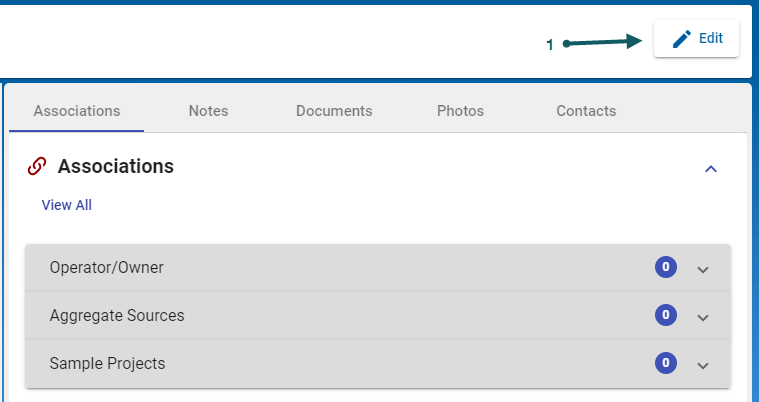
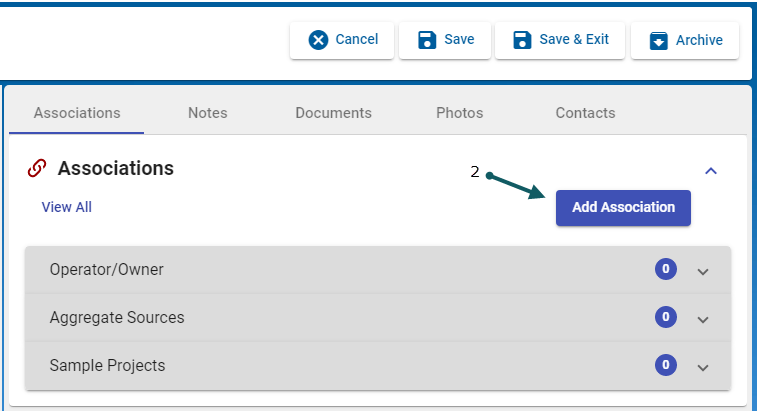
- In order to create an association between an Aggregate Source and an Operator/Owner, after selecting the Aggregate Source of interest, click the Edit (1) button, then click Add Association (2)
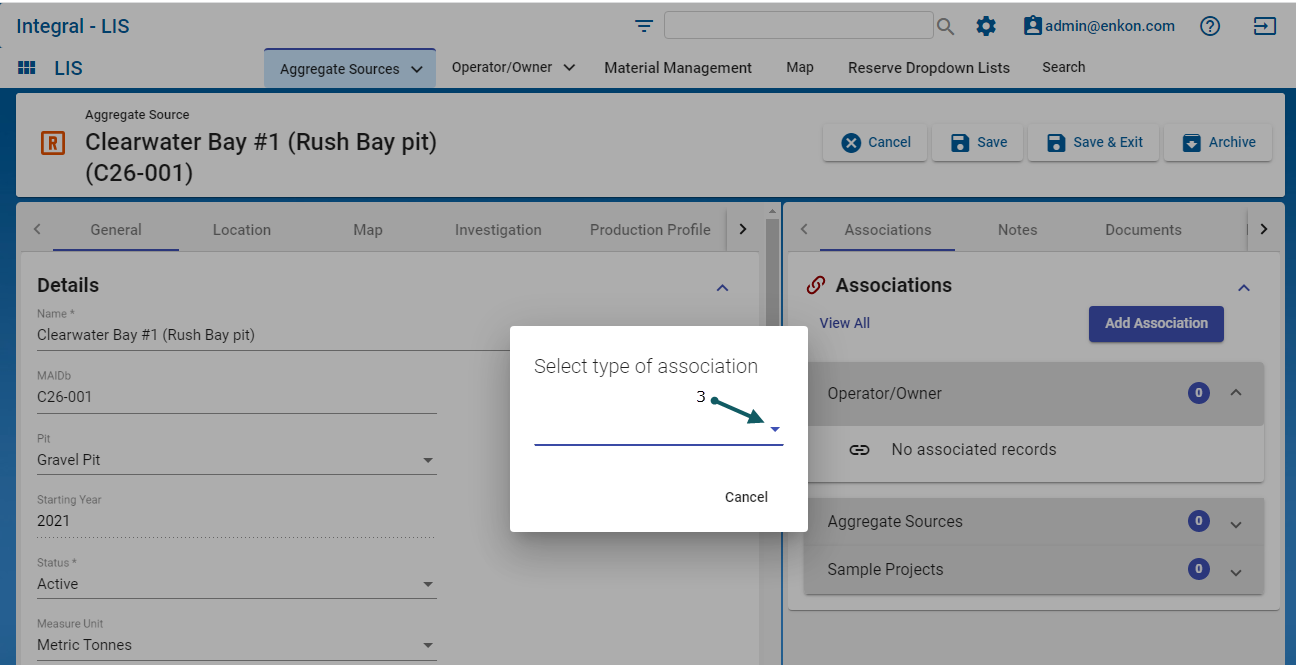
- then click the down-arrow (3) to select the Type of Association
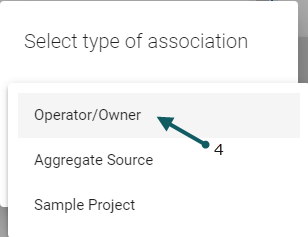
- Select the Operator/Owner (4) as the Association Type
- Select the operator (5) and click Ok(6) to continue.
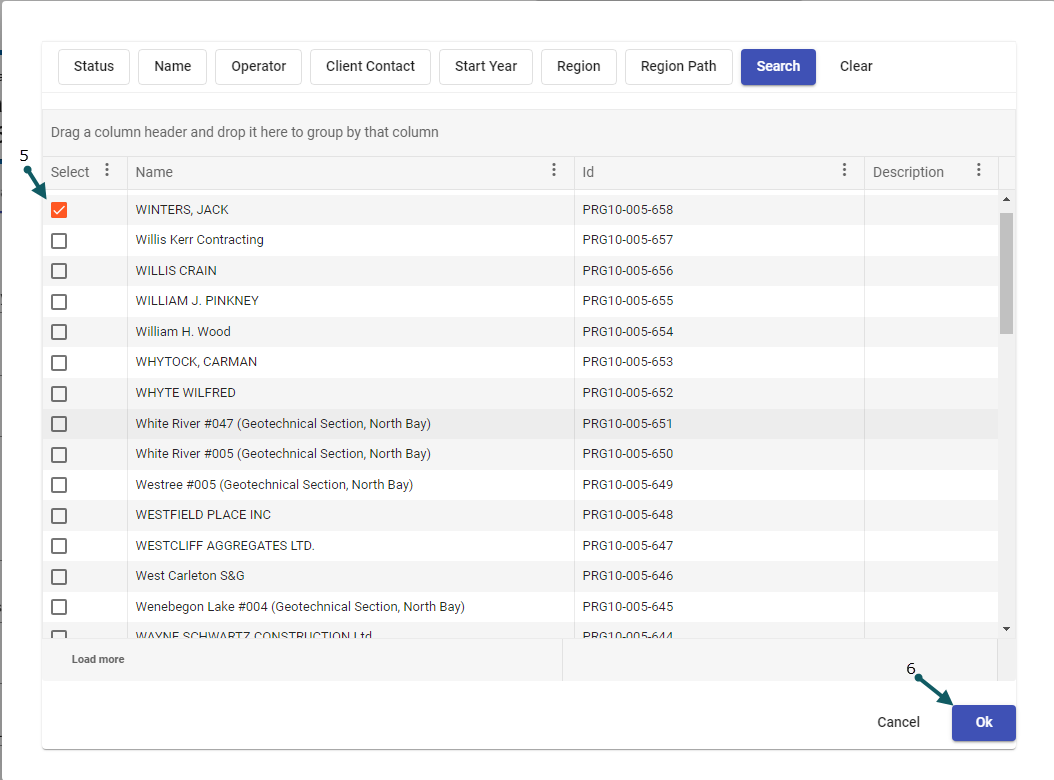
- Finally, the Operator/Owner Jack Winters is shown to be associated with the Aggregate Source Clearwater Bay #1
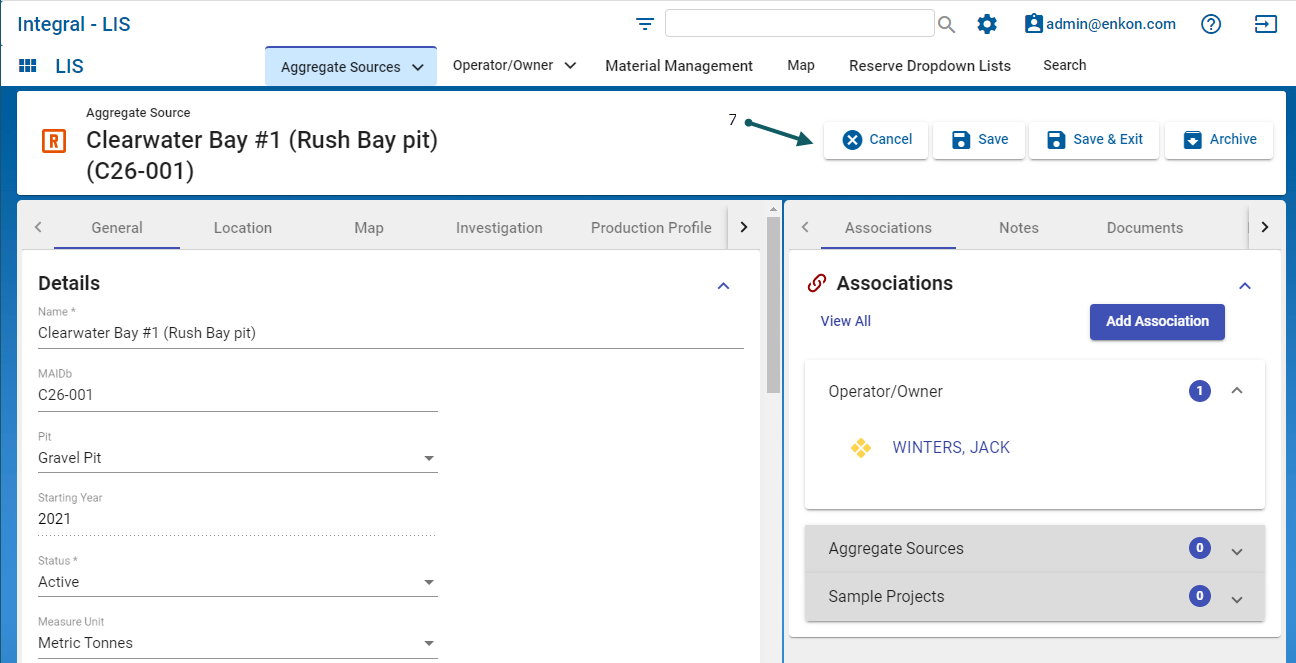
- Click either of the buttons (7) to Cancel, Save, Save & Exit or Archive.
- Note: if the user associates record A to record B, record B will auto-associate back to A


